Eng:HabaHaba
This page is also available in Russian.
Pages in English • Translated pages • Pages that have an english versionhabahaba.im is a new modern service for chatting. Successor of HabaHaba/deprecated ([1]).
Located here: Habahaba.im
Contents
Registration[edit]
You can register via xmpp:gateway.habahaba.im. Open Service discovery of your Jabber-client, point it to the xmpp:habahaba.im server, and then register on the xmpp:gateway.habahaba.im service. After registration you will receive a message with the examples of usage of HabaHaba.
Features[edit]
Simple web-based Jabber client[edit]
You can use this to access your Jabber-account through the web if you can't use desktop client for some reason. (e.g., security policy)
Just enter your account data into the connection form and press "Go" to connect.
Form for anonymous message sending[edit]
This web form is intended to connect with Jabber users[1][2]. With this form you can send a message and receive a response for it.
If something still unclear please read the instructions below.
To use the quick connection you will need:
- Follow the http://habahaba.im/ link
- At the JID field of the quick connection form enter JabberID, e.g., fbot@jrudevels.org.
- At the "Recipient's JabberID or HabaHaba pseudonym" you can describe yourself. This field is not required.
- At the "Your message" field enter your message, e.g. Hello my darling!
- Click the Send button.
- Recognize a text from an image and enter it.
If you will see the "Wrong captcha" message, then you was wrong with a text recognition.
Please note that you will not be allow to send a message before you receive a first reply!
View an interlocutor's status[edit]
If your interlocutor will add you into him roster, you will see each-other statuses , until anonymous client click "Disconnect".
URL[edit]
There are possibility to specify your JID right in a link to HabaHaba, e.g.: http://habahaba.im/pupkin@pupkin.ru.
Pseudonyms[edit]
If you don't want to show your JID in a links to HabaHaba, you can register pseudonym and then use it in any form of chat through HabaHaba. To do it you have to register on the xmpp:gateway.habahaba.im service using desired pseudonym. Then you can use it instead of your JID.
Feedback[edit]
Your feedback you can leave in the Feedback form at the main page of HabaHaba. Also you can do it if the service is unavailable.
SPAM[edit]
If you abused by somebody via the service please contact us using the xmpp:binary@jrudevels.org JID.
How to show your status at your web page[edit]
You can put a graphic indicator on your web page with your Jabber status with HabaHaba. To do it you have to register on the gateway.habahaba.im service, using (Service Discovery) of your jabber-client.
An image with your status you can find at the address:
http://habahaba.im/status/name/iconset.type
where name — your HabaHaba pseudonym, type can be one of this
- gif
- png
- jpg
- It can be empty and it needs just to help to recognize an image by some web engines.
iconset can be one of those:
- Simple pictures
- simple — just labels with a status
- habahaba — buttons with the "HabaHaba" caption
- jabber — buttons with the "Jabber" caption
- icons:tkabber — icons from the Tkabber client
- icons:lightbulb — bulb icons (
 )
)
- Text statuses
- iframe — a page to integrate with iframe
- plain — just a plain-text status

HTML-code example to embed in your page:
<a href="http://habahaba.jrudevels.org/?pupkin" title="Send a message to the pupkin"><img src="http://habahaba.jrudevels.org/status.py/pupkin/habahaba.gif" border="0" /> pupkin</a>
Example of the BB-code to use on the forum's profile.
[url=http//habahaba.im/pupkin][img]http://habahaba.im/status/pupkin/jabber.gif[/img][/url]
Examples for your pseudonym will be generated automatically and send you via Jabber message right after registration on the xmpp:gateway.habahaba.im
Analogies[edit]
- Google gadget (Flash)
- Olark (HTML, JavaScript)
- MeeboMe widget (Flash)
- Habahaba
Visit card viewing (vCard)[edit]
To see the vCard of jabber user you can use this page or press the info button in the Habahaba.
Screenshots[edit]

Frontpage
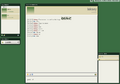
Chat


For testers and developers[edit]
Developer — Binary & Co.
Notes[edit]
- ↑ Those of them who can receive messages from an unsubscribed users.
- ↑ To a GTalk users subscribe request will be sent.
Links[edit]
- Video demonstration how HabaHaba.im works
